
Certum SSL installation is like other SSL installations, it depends on the operating system or GUI application running.
Below is the Cpanel account SSL installation.
Login to the Cpanel and locate the SSL/TLS tab, click on it to start installation.

Then click on the " Manage SSL sites." to go to the installation page.
Manage SSL Hosts
This interface lets you configure SSL for your domains.

Fill out the form as seen below and click on Install. Select the domain you want to install on, fill the Certificate: (CRT) column with the Certum Certificate, the "Private Key (KEY)" column is for the RSA key saved during CSR generation, and also the "Certificate Authority Bundle: (CABUNDLE)"m on the last column.
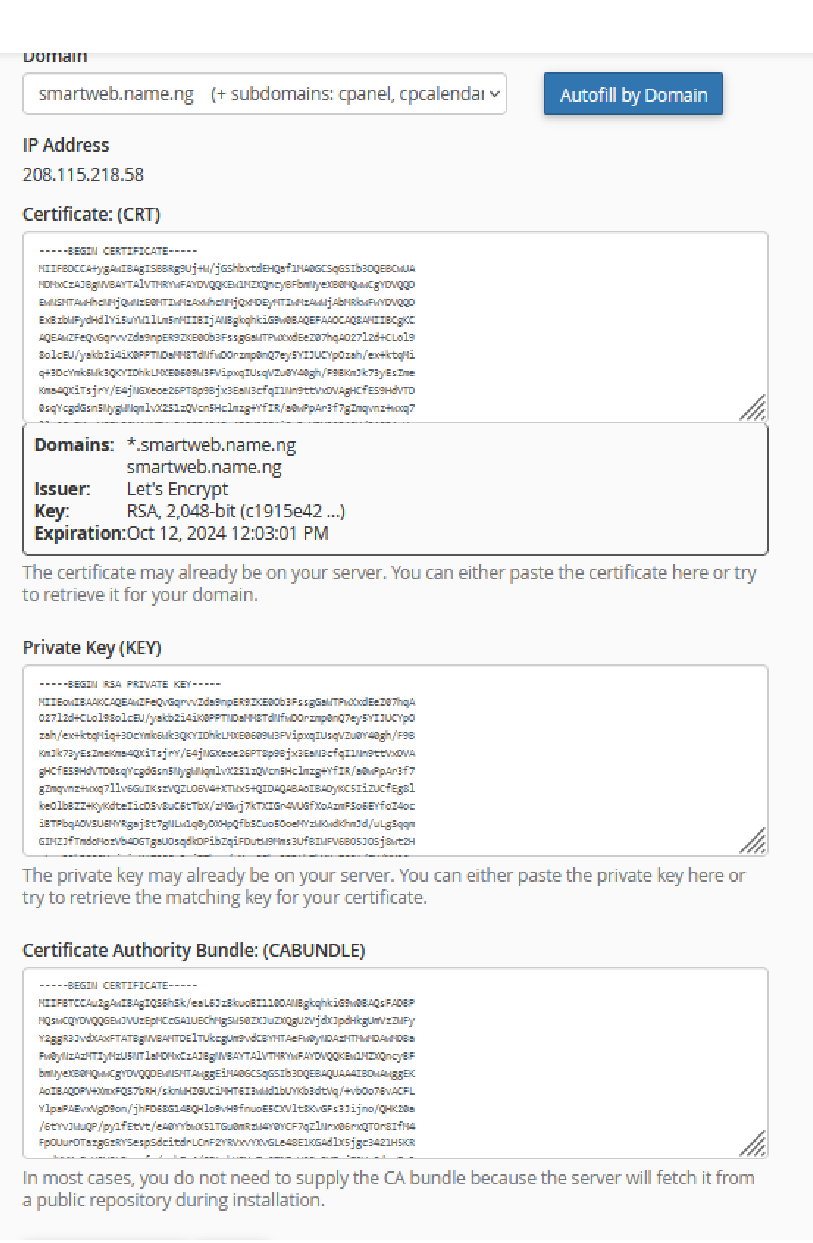
Then click on Install to complete this.
After this, you have a successful SSL installation.